
Turn every call into a clear next step.
Conversational AI agents for support, sales, scheduling, and phone workflows — configured in your workspace and connected through approved tools.
Create scoped keys in Dashboard → Developers. Keep them server-side.
Connect the tools your team already uses
How it works
From an idea to a production-ready voice workflow.
Set the rules once, connect the right information and tools, then keep improving from real conversations.
01
Define your agent
Set its purpose, instructions, voice, language, and escalation rules.
02
Connect your knowledge
Add approved FAQs, documents, and the business systems it can use.
03
Deploy where calls happen
Assign a phone number, embed the widget, or connect through the API.
04
Review and improve
Use transcripts, outcomes, and call analytics to refine each workflow.
Key capabilities
Designed for conversations that need to get work done.
Responsive conversations
Stream speech as a reply is generated to keep conversations moving naturally.
Interruption handling
Let callers change direction, clarify a request, or speak over the agent naturally.
Voice and persona control
Choose the agent’s voice, tone, greeting, and communication style for each workflow.
Multilingual support
Configure language-aware experiences for the customers and markets you serve.
Connected actions
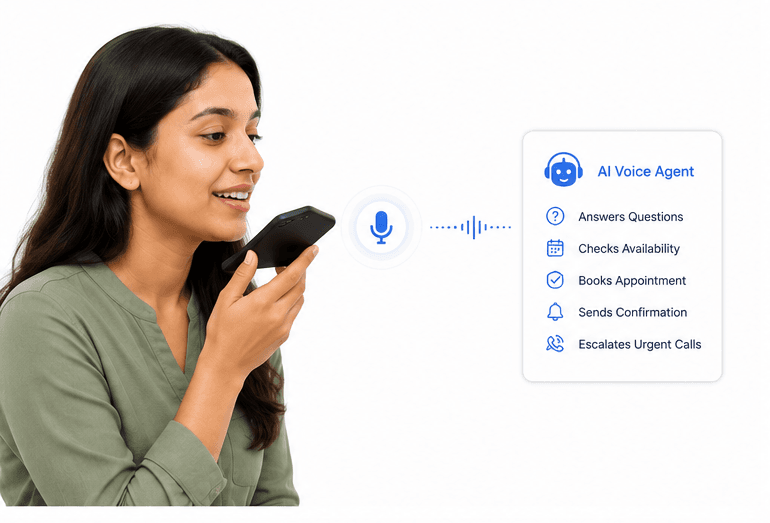
Use approved tools to check availability, update records, create tickets, and more.
Human handoff
Transfer the call with collected context when a teammate needs to take over.
API and integrations
Connect your application with scoped access.
Create API keys in the Developer dashboard, grant only the scopes a workflow requires, and authenticate server-side requests with a Bearer token.
Read the API documentation→- 1CallerI need to reschedule my appointment.
- 2AgentI can help with that. Let me check available times.
- 3Connected calendarAvailability found and appointment updated.
Connect approved tools with scoped API keys, webhooks, and server-side authentication.
Use cases
One agent platform for the calls your team handles most.
Customer support
Answer routine questions, look up requests, and route complex cases to the right team.
Plan this workflow →Lead qualification
Capture intent, fit, and timing before connecting a qualified prospect with sales.
Plan this workflow →IVR modernization
Replace rigid phone menus with a natural conversation that understands customer intent.
Plan this workflow →Scheduling and booking
Book, confirm, reschedule, or cancel appointments against your available calendar.
Plan this workflow →Built for live conversations
Performance details your team can evaluate.
>750ms
Average latency
Designed for responsive, live conversations
99.9%
Platform uptime
Reliable infrastructure for customer workflows
24/7
Call coverage
Always available for approved call types
22+ & 76
Indic & Global Languages
Language-ready voice experiences
Control and human handoff
Keep every call within your team's boundaries.
Review transcripts, outcomes, handoffs, and configured actions so teams can improve the workflow with evidence — not guesswork.
“
Start with a focused call type, define the handoff, and use real outcomes to decide what to automate next.
A controlled rollout approach
Voice agent deployment guidance
Frequently asked questions
What teams ask before they launch.
A practical overview of setup, integrations, and how your team stays in control.
Can a voice agent work with our existing systems?+
Yes. Connect approved calendars, CRM tools, help desks, knowledge sources, and custom workflows through the available integration and webhook options.
How are calls transferred to a teammate?+
Set transfer rules by caller intent, confidence, urgency, or a caller request. The receiving teammate can receive the conversation context and collected details.
Do we need engineering support to get started?+
You can configure the core conversation, knowledge, and routing in the workspace. Engineering support is useful when you need a custom integration or application-specific workflow.
How do we improve the agent after launch?+
Review transcripts, summaries, outcomes, and transfer patterns. Use those findings to refine the knowledge, instructions, actions, and escalation rules.
Build your workflow today.
Turn your most important phone workflows into intelligent voice experiences. Start with one use case, connect the tools you need, and scale when you’re ready.